GoPhish vs PhishSpark: Which Phishing Simulation Tool Is Right for You?
GoPhish is great open-source software — but it requires a VPS, DNS setup, SMTP configuration, and hours of DevOps work before you send a single email. Here's a honest comparison of both tools.
GoPhish has been the go-to open-source phishing simulation tool for years. It's free, powerful, and trusted by thousands of security teams worldwide. So why are teams looking for alternatives?
The answer is almost always time and maintenance overhead.
The hidden cost of self-managing GoPhish
Before you send your first phishing email with GoPhish, you need to:
- Provision a VPS or cloud instance (AWS, DigitalOcean, etc.)
- Configure a sending domain with SPF, DKIM, and DMARC records
- Set up a mail transfer agent or connect an SMTP relay
- Handle IP reputation — new IPs land in spam by default
- Install and harden GoPhish on the server
- Manage TLS certificates
- Keep the server patched and monitored
For a security engineer comfortable with Linux, this takes 4–8 hours the first time. Every campaign thereafter requires re-verifying your IP reputation and managing your sending domain. When the server needs updating, that's on you.
What PhishSpark does differently
PhishSpark is a managed SaaS built on top of the same principles as GoPhish, but removes the infrastructure burden entirely.
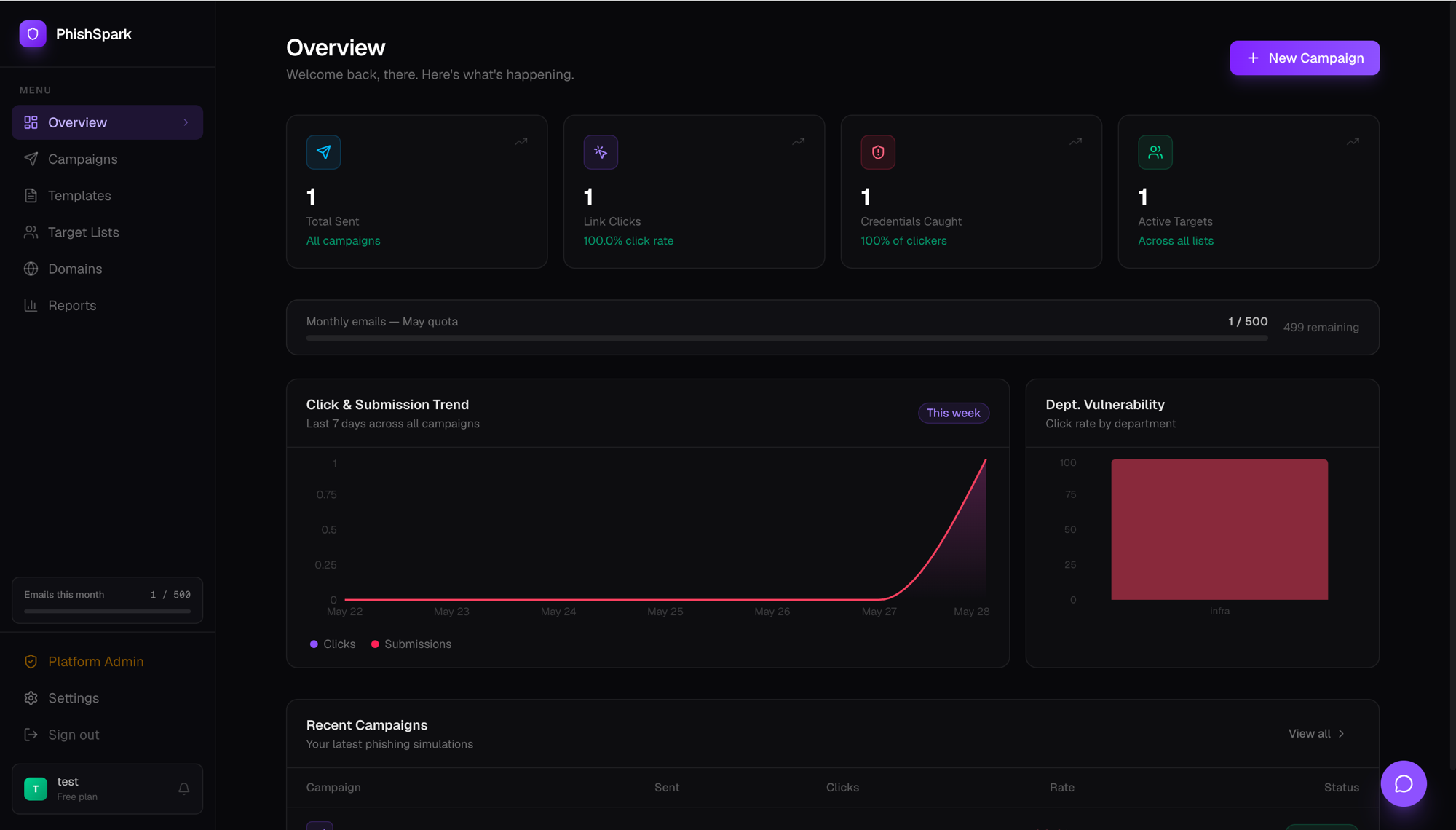
- Domain wizard — paste your domain, get copy-paste DNS records, click Verify. SPF, DKIM, and DMARC are auto-checked.
- Managed sending infrastructure — PhishSpark's relay handles DKIM signing, bounce management, and IP reputation. No VPS to manage.
- Ready-to-use templates — Microsoft 365, Google Workspace, Slack, Payroll, IT Helpdesk, and more. GoPhish ships with zero templates.
- HMAC-signed tracking — every link is cryptographically signed per recipient. If someone forwards the email, their colleague's click doesn't count against the original recipient.
- Department-level reports — see which team is most vulnerable, not just which individuals clicked.
Side-by-side comparison
| Feature | GoPhish | PhishSpark |
|---|---|---|
| Setup time | 4–8 hours | 30 minutes |
| Infrastructure required | VPS + DNS + SMTP | None |
| Built-in templates | 0 | 10+ |
| DKIM signing | Manual setup | Automatic |
| HMAC-secured tracking | No | Yes |
| Ongoing maintenance | You manage it | Managed |
| Self-hosted option | Always | Yes (Team/Enterprise) |
| Free tier | Yes (self-hosted) | Yes (cloud, 500 targets) |
| Pricing | Free | Free – ₹2,499/mo |
When to choose GoPhish
GoPhish is still the right choice if:
- You have strict data residency requirements and can't use any cloud service
- You have a dedicated DevOps team that can manage the infrastructure
- You want to customize the tracking and reporting at a code level
- Budget is zero and time is not a constraint
When to choose PhishSpark
PhishSpark is the better fit if:
- You want to launch a campaign this week, not next month
- You're a small security team without dedicated infrastructure resources
- You run simulations quarterly and don't want to maintain a server between campaigns
- You need clean analytics and department-level reporting without building it yourself
The bottom line
GoPhish and PhishSpark aren't really competing for the same user. GoPhish is a tool for engineers who want full control and are willing to invest the setup time. PhishSpark is for security teams who want results fast, with zero infrastructure overhead.
If you've been putting off phishing simulations because GoPhish felt like too much work to set up — try PhishSpark free. You'll have your first campaign live in under 30 minutes.
Run your first phishing simulation today
Free for up to 500 targets. No credit card, no DevOps, no setup headache.
Get started free